

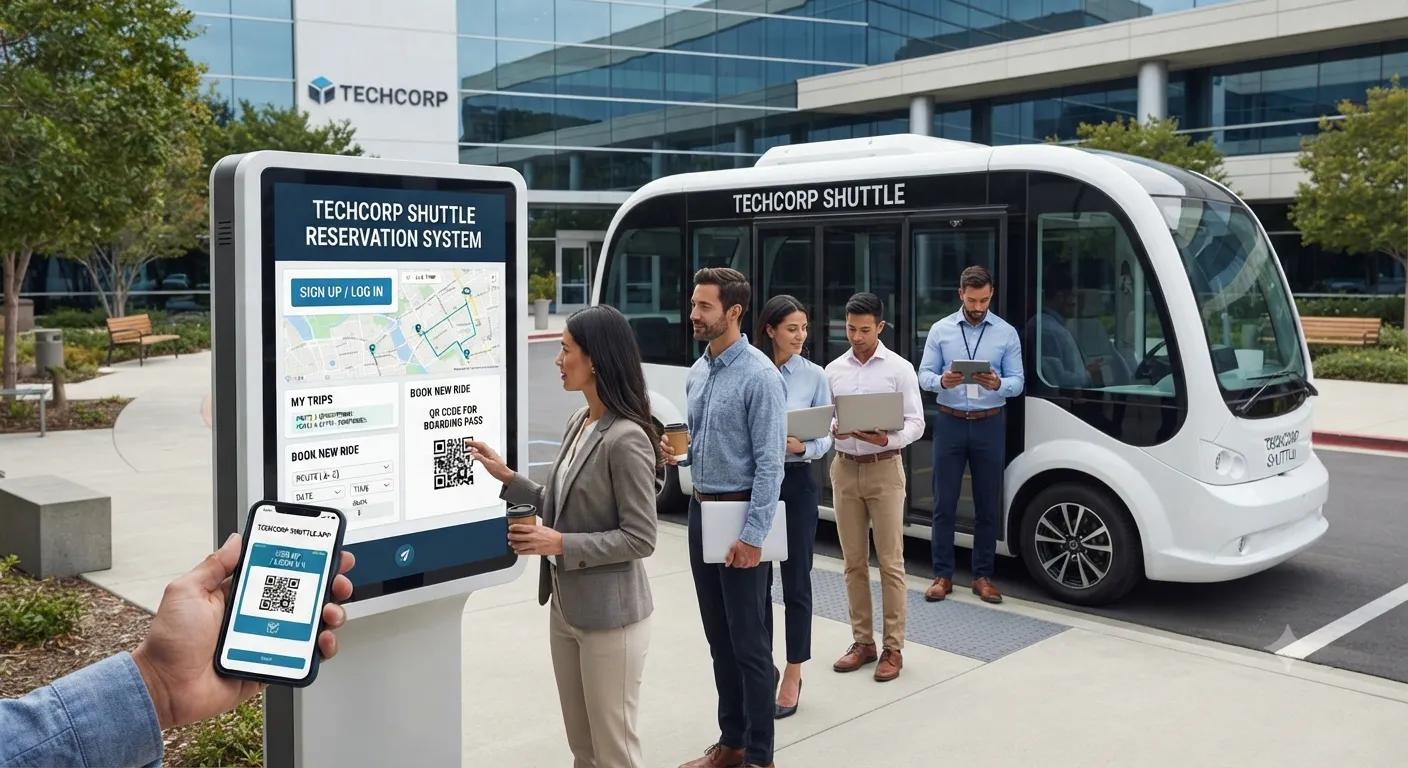
How to Manage Employee Shuttle Reservations
Managing employee transportation becomes more challenging as the number of riders, routes, and daily schedule changes increases. A simple signup sheet may work for a small group, but larger employee shuttle programs need a structured process for reservations, cancellations, capacity, and waitlists. An effective employee shuttle reservation management system gives employers a central way to organize riders, monitor available seats, and keep transportation operations running smoothly.

A well-planned reservation process benefits both employees and transportation coordinators. Employees gain a convenient way to reserve transportation, while employers receive better information about expected ridership. When reservations, signups, and waitlists work together, companies can make smarter decisions about routes, vehicle capacity, and daily shuttle schedules.
Start With a Clear Shuttle Signup Process
The first step in managing employee shuttle reservations is creating a clear signup process. Employees should know where to register, what information they need to provide, and when they can begin making reservations.
A signup form should collect essential information without becoming unnecessarily complicated. Basic details may include an employee's name, work email, employee identification information, preferred pickup location, route, shift, and commuting frequency.
Companies should also determine whether employees are registering for recurring transportation or requesting occasional rides. Keeping these two types of riders separate can make capacity planning much easier.
A simple and consistent signup process can reduce duplicate registrations and prevent transportation coordinators from having to manage requests through multiple communication channels.
Choose a Reservation Model
Not every employee shuttle needs the same reservation structure. Employers should decide how reservations will work based on ridership patterns and vehicle capacity.
Employees who commute on a consistent schedule may benefit from recurring reservations. Instead of booking a seat every day, they can establish a regular commuting pattern and make changes only when necessary.
Employees with hybrid schedules may prefer individual reservations. This allows them to reserve transportation only on the days they expect to be in the office.
A combination of recurring and individual reservations can provide flexibility while still giving transportation coordinators a reliable view of expected demand.
Make Reservations Easy to Manage
The reservation process should be simple for both employees and administrators. Employees should be able to view available routes and departure times before selecting a seat.
After a reservation is submitted, the system should provide confirmation. This can include the date, route, pickup location, departure time, and reservation status.
A clear confirmation reduces uncertainty and gives employees a record they can reference later. It also reduces the number of messages transportation coordinators receive from employees asking whether their reservation was successfully recorded.
Establish Clear Cancellation Policies
Cancellations are an important part of employee shuttle management. Employees may reserve a seat several days in advance and later find that they are working remotely, taking leave, or attending an off-site meeting.
The reservation system should make it easy to cancel a single trip without removing a recurring reservation entirely. This distinction is particularly important for employees who regularly use the shuttle but occasionally change their commute plans.
Clear cancellation policies can also help reduce empty seats. When employees cancel early, the seat may become available to another employee waiting for transportation.
Reduce the Impact of No-Shows
No-shows can create problems when shuttle capacity is limited. A reserved seat that remains empty could have been used by another employee.
Automated reminders can help reduce unnecessary no-shows. A reminder sent the day before a scheduled ride can prompt employees to review their plans and cancel if they no longer need transportation.
Companies should also establish a reasonable approach to repeated no-shows. Occasional missed rides are normal, but frequent unused reservations can make capacity planning less accurate.
The goal should be to encourage responsible reservations while maintaining a convenient transportation benefit for employees.
Manage Shuttle Capacity Carefully
Vehicle capacity should always be connected to the reservation system. Employees should not be able to reserve more seats than the shuttle can provide.
When a departure reaches capacity, the system can close regular reservations and offer a waitlist. This prevents overbooking while still allowing employees to indicate that they need transportation.
Capacity information can also help employers identify which routes require additional resources. If a specific departure consistently fills up, the company may need to consider a larger vehicle or additional service.
Build an Effective Waitlist
A waitlist can make a significant difference when shuttle demand exceeds available capacity. Instead of simply telling employees that a trip is full, the system can allow them to request a position on the waitlist.
When another employee cancels, the available seat can be offered to someone waiting. The process should clearly communicate how employees are notified and how long they have to accept an available seat.
Waitlist activity can also become valuable planning data. If the same route repeatedly generates more waitlist requests than available seats, it may indicate that the company should increase transportation capacity.
Keep Rider Information Updated
Employee transportation records should be reviewed regularly. Employees can change departments, shift schedules, work locations, or employment status.
If an inactive employee remains on a recurring reservation, that seat may appear unavailable even though the employee no longer needs transportation.
Companies can include shuttle access in their normal employee onboarding and offboarding procedures. When employees join the organization, they can receive information about registering for transportation. When they leave or change eligibility, their reservations can be updated or closed.
Accurate rider information improves both communication and capacity planning.
Prepare for Schedule and Route Changes
Employee shuttle schedules may need to change because of workplace hours, construction, office relocations, seasonal demand, or changes in employee commuting patterns.
When a route or departure changes, employees with existing reservations should be notified as soon as possible. The reservation system should also be updated so future bookings display the correct information.
Clear communication is especially important for regular riders who depend on the shuttle for their daily commute. Employees should not have to discover a schedule change when they arrive at their usual pickup location.
Use Reservation Data for Planning
Reservation data provides more than a passenger list. It can help employers understand how employees use transportation.
By comparing reservations with actual ridership, companies can identify underused routes, popular departure times, frequent cancellations, and recurring no-shows.
This information can support decisions about vehicle sizes, pickup locations, departure times, and the overall structure of the shuttle program.
Employers can also review waitlist activity to identify routes where demand consistently exceeds available capacity.
Decide When to Upgrade Your System
A spreadsheet or basic online form may be enough for a small shuttle program. However, manual systems can become difficult to maintain as the number of riders and routes increases.
Larger programs may benefit from dedicated transportation software that provides automated reservations, real-time capacity information, waitlists, reminders, cancellations, and rider management.
The decision to upgrade should be based on operational needs. If transportation coordinators spend significant time manually reconciling reservations or responding to routine booking questions, a more automated system may improve efficiency.
Review the Reservation Process Regularly
An employee shuttle reservation system should not remain unchanged forever. Companies should periodically review how well the system is working for both riders and administrators.
Reservation activity, actual ridership, cancellation rates, no-shows, waitlist requests, and employee feedback can all provide useful information.
A regular review can reveal whether booking rules need adjustment, whether certain routes require more capacity, or whether employees need clearer instructions.
Create a More Reliable Employee Shuttle Program
Managing employee shuttle reservations, signups, and waitlists requires a combination of simple booking procedures, accurate rider information, clear policies, and consistent communication.
A well-organized system gives employees greater control over their transportation while giving employers better visibility into daily demand. By making cancellations easy, monitoring no-shows, managing capacity, and using waitlists effectively, companies can make better use of every available seat.
As employee transportation needs grow, the reservation system can evolve as well. Whether a company starts with a basic form or uses dedicated transportation software, the goal remains the same: create a dependable shuttle experience that is easy for employees to use and efficient for employers to manage.